Overview
Lucid Lock is a native iOS app that teaches people to lucid dream, and the training starts with dream recall. It is a dream journal first. Everything a person writes stays on their phone, and the app builds a training plan from what they record. There is no account, no server, and no dream content ever leaves the device.
I built it alone under my company, PixelNova LLC. The first commit to the iOS repository landed on August 4, 2026, and Apple approved the app for the App Store in mid-September, about six weeks later. By then the codebase was around 39,000 lines of Swift across 167 files, with 443 automated tests and zero third-party packages.
How It Started
A few years ago I changed phones and lost every dream I had ever recorded. I had been using a dream journaling app and I cared about what was in it, but its export was incomplete, and the history did not survive the move. The original idea for Lucid Lock was personal. I wanted to build the journal I wished I had been using, one where the history belongs to the person who wrote it and can be exported, imported, or recovered instead of vanishing with a device or a startup.
"Your dreams should not disappear because you changed phones or your app didn't let you export it."
The idea grew once I started treating the journal as structured data instead of plain text. Someone trying to lucid dream builds up recurring people, places, emotions, dream signs, failed reality checks, and techniques that did or did not work. That history can teach a person what works for them specifically, instead of handing everyone the same generic advice. The journal became the foundation of a training system rather than the whole product.
The First Build Went the Wrong Way
The first version was not carefully architected. I gave an AI agent a goal and iterated on whatever came back, over and over. That got a lot of software written very quickly, and it taught me the most important lesson of the project: AI can build the wrong product very quickly. It produced features before I had decided what the app should be, and turning that experiment into a real application took weeks of rewrites.
"AI can gladly build whatever you want, even in wildly the wrong direction. What I do is take real problems I run into and turn them into a solution."
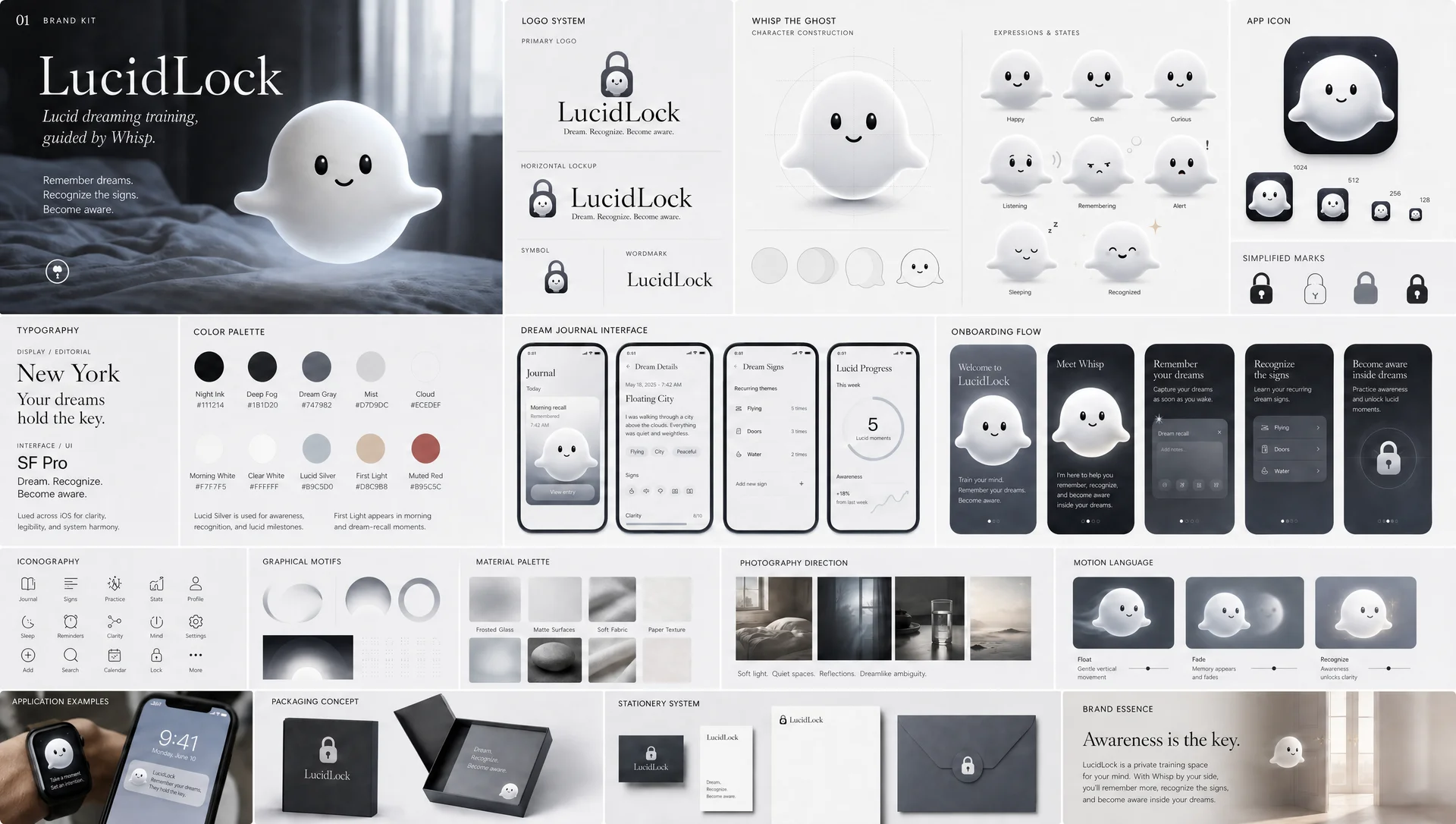
So I moved design ahead of implementation. I used ChatGPT Image to explore directions and produce a full brand kit: a logo system, a palette, typography, iconography, a motion language, and a construction sheet for the mascot. Then I used Claude to prototype screens, onboarding, and interactions before I touched the app again. Specifying the experience first is what stopped the expensive rewrites. The colors on that board are still the exact values in the app's LucidColor.swift, starting with Night Ink (#111214), which is also the background of this page's header.
Whisp
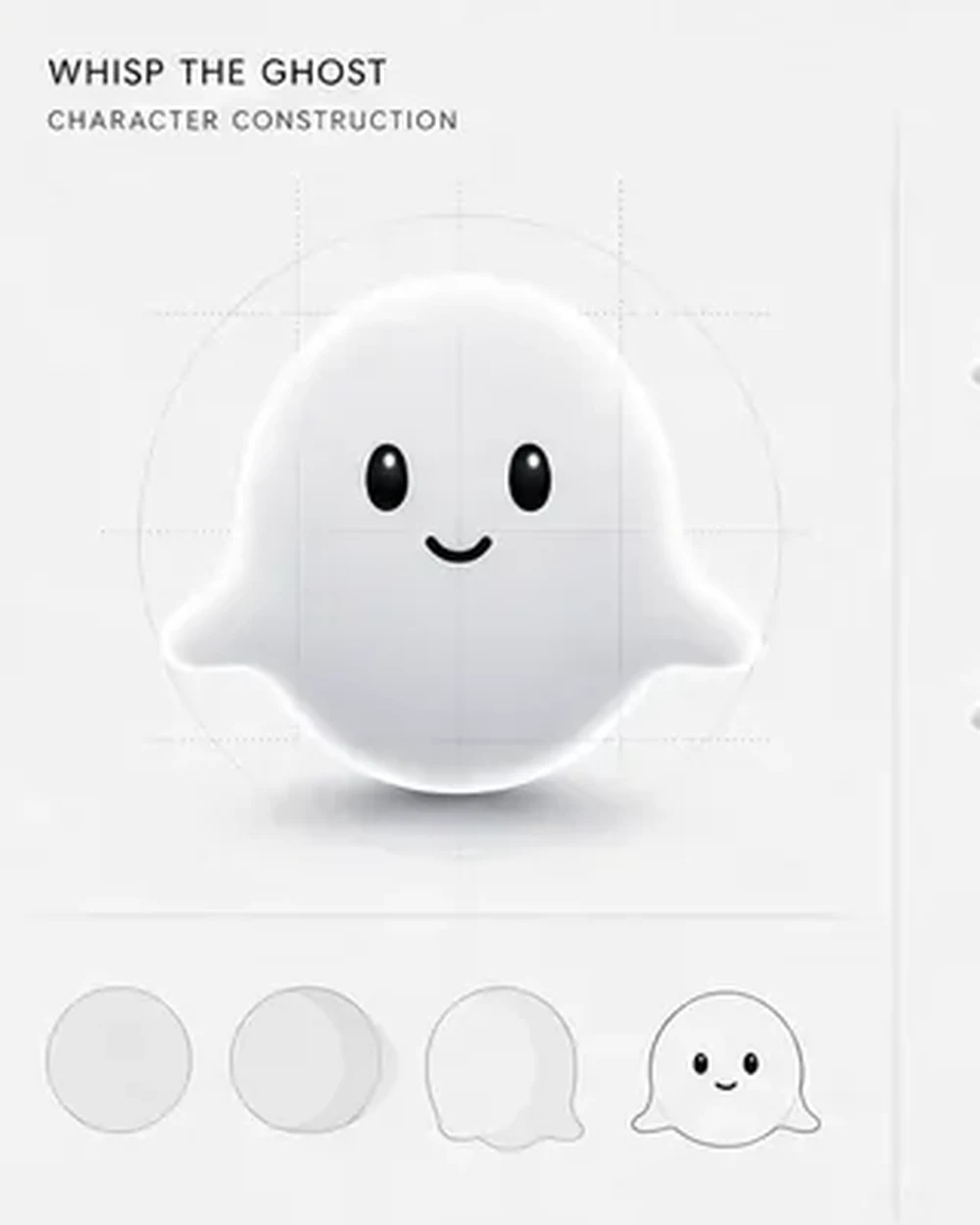
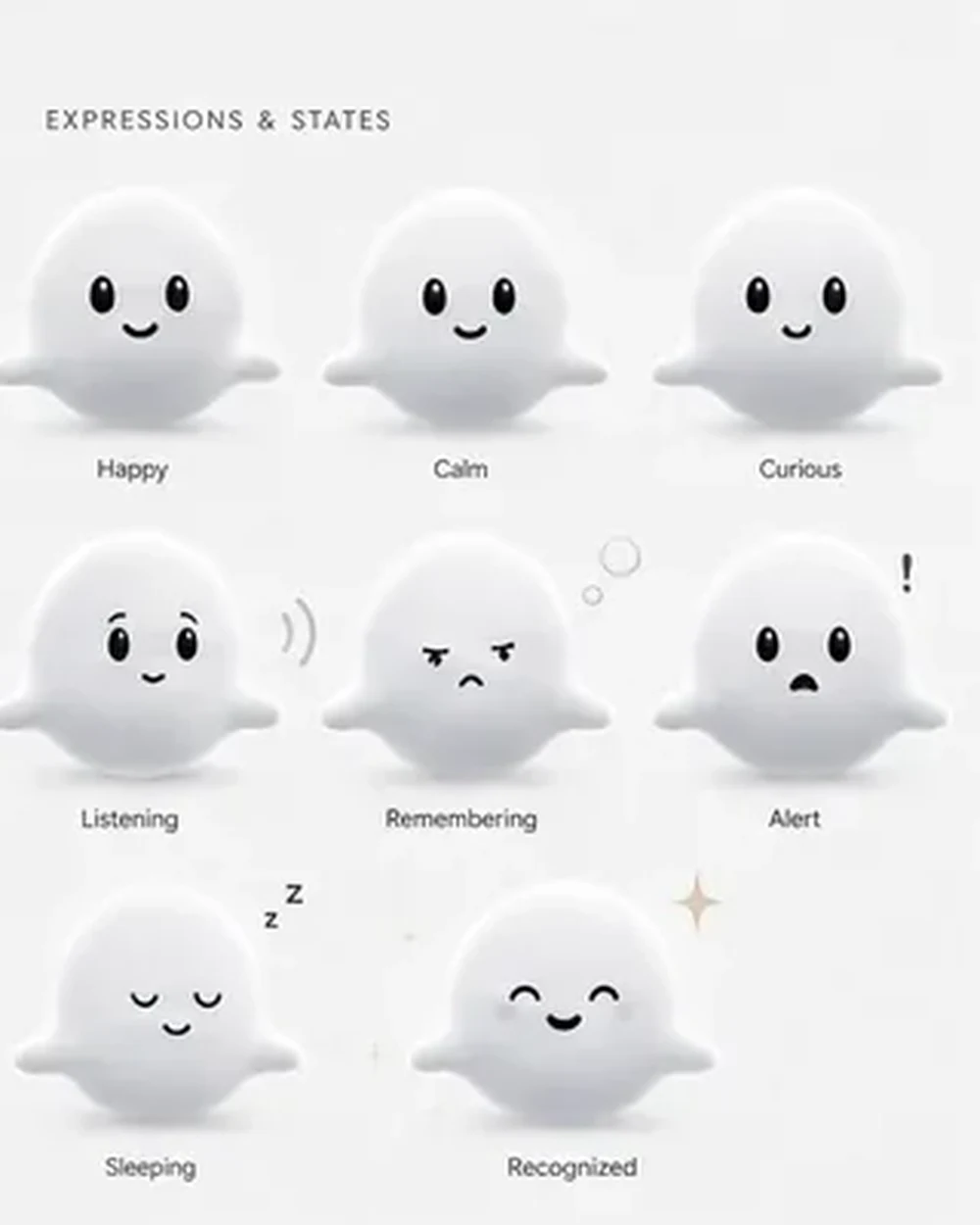
Whisp is the character who greets people on their first morning in the app. He took two full days of art direction. The AI could generate a hundred variations, but it could not decide what Whisp meant, and I iterated on his proportions and movement more than anything else in the project because small details changed the personality of the whole product. He is a visual guide who makes a clinical subject feel less clinical. He is not a chatbot and he is not a virtual pet. He has no streaks for you to break and he never scores you.
In the app, Whisp is a layered rig rather than an image. His body, arms, face, specular highlight, and ground shadow each move on their own, with an idle float, a breath, a blink cycle, and seven reactions. The Whisp below is the same rig I wrote for the Lucid Lock website, ported to React for this page, and its poses are copied value for value from the Swift source, so he moves here exactly the way he moves on a phone. Hover over him to get his attention, click him to celebrate, or pick a reaction.
One detail I like is how the rig handles size. The face was first drawn against a 160 point Whisp, which made the features look pinched on large renders and oversized on small badges. I fixed it by scaling the face with an exponent under one, so a 58 point Whisp and a 236 point Whisp read as the same character.
Recall First
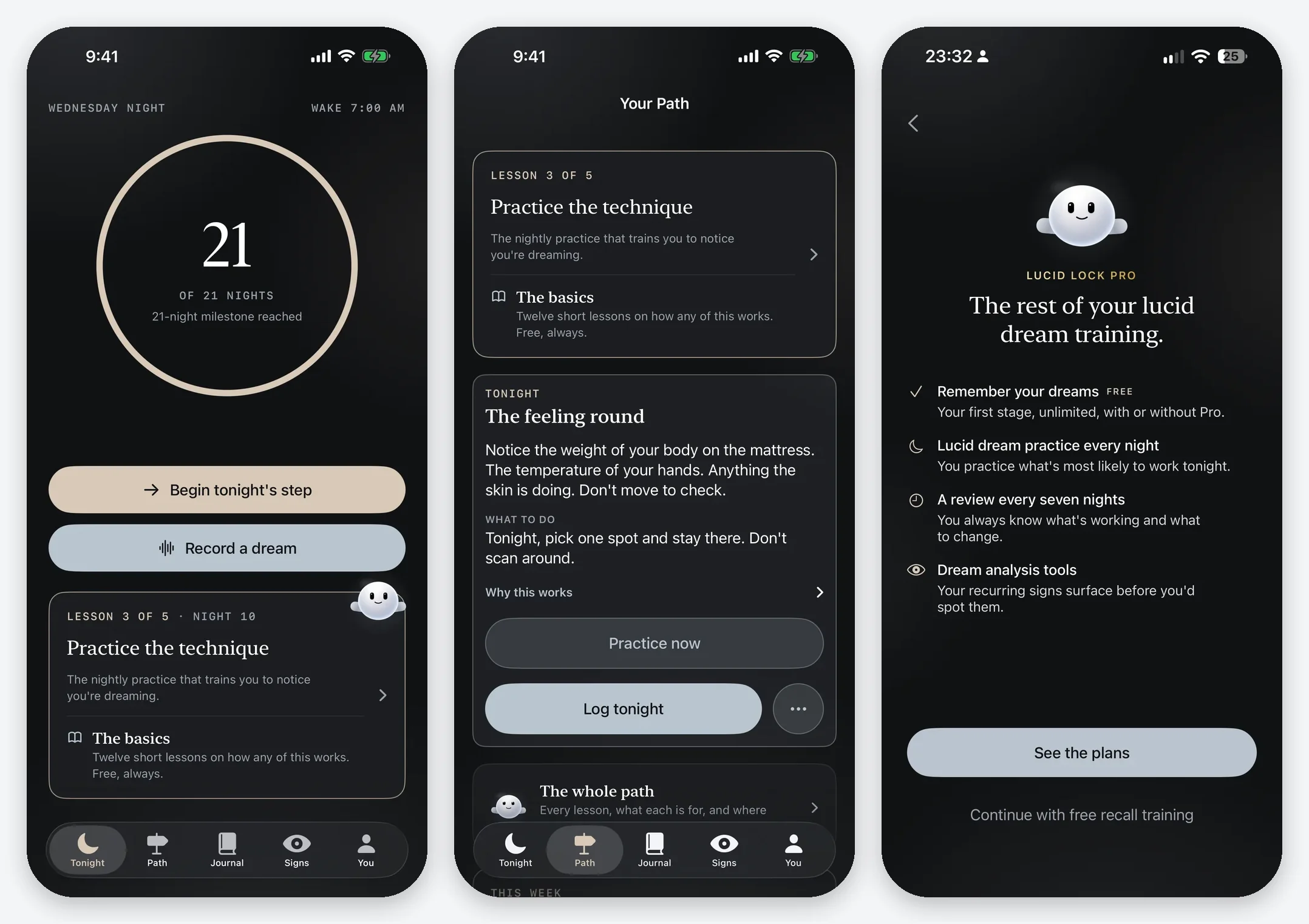
Most people who try lucid dreaming fail at the first step because they cannot remember their dreams. So instead of throwing advanced techniques at a new user, the first stage of training builds recall and keeps the journal useful. The free app covers recall training, the unlimited journal, dream signs, reality checks, twelve short lessons, Face ID, and export.
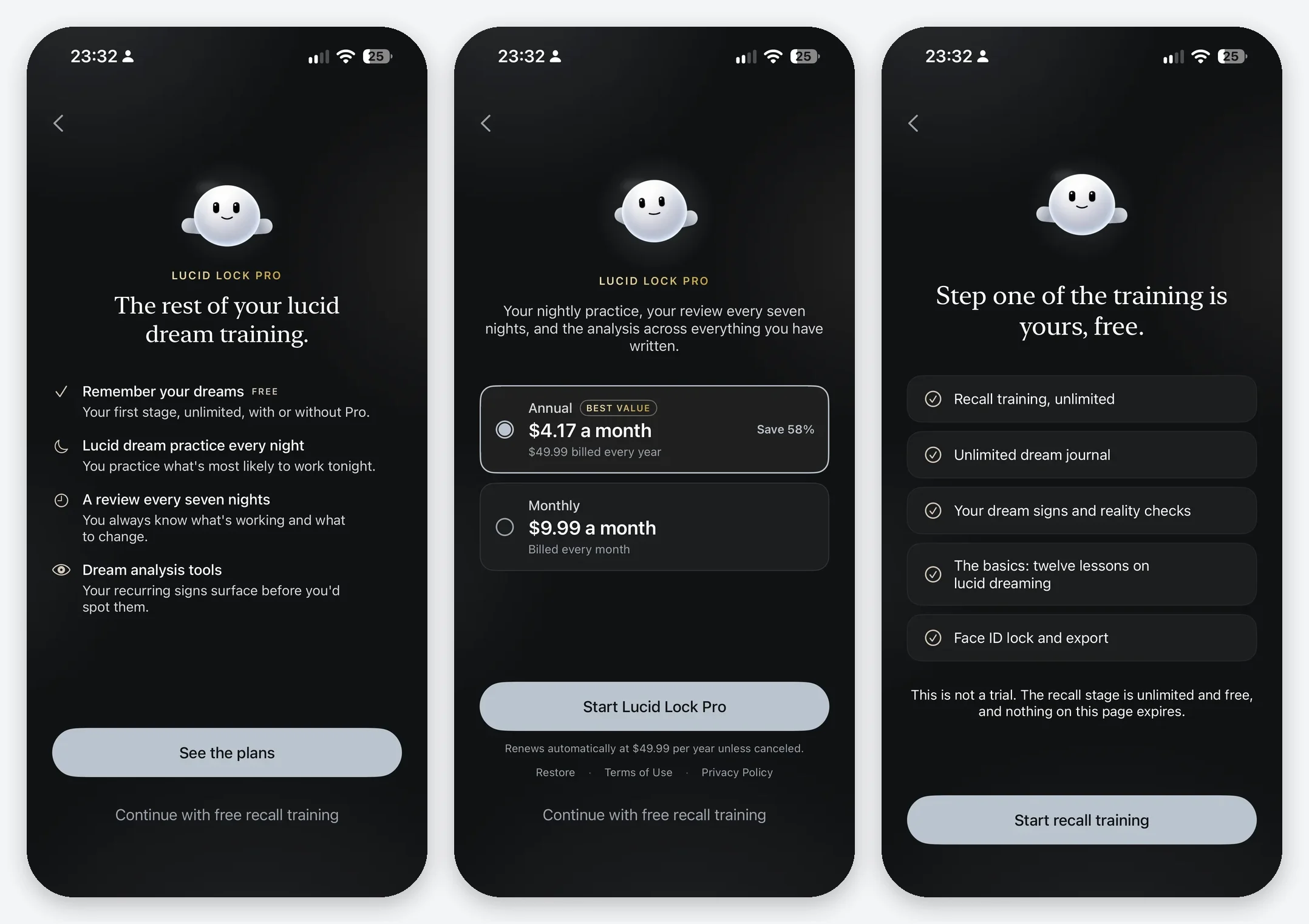
Lucid Lock Pro is the adaptive training layer. It picks a nightly practice from that morning's entry, chooses between the MILD and SSILD techniques based on the person's own recall baseline, runs a review every seven practice nights, and adds pattern analysis across everything they have written. The rule I settled on is that recall is free and the program is the subscription. Pro is offered at the edge of the free stage, after someone has seen their recall change, and there is no paywall gate anywhere in the app.
Keeping the Intelligence on the Phone
My original plan was to analyze dreams with Apple's on-device models and generate personal observations for each entry. In practice, the small models were inconsistent at reading dream entries. I tested generated notes and coaching lines from Whisp, and I decided not to make unreliable generated analysis the foundation of the product.
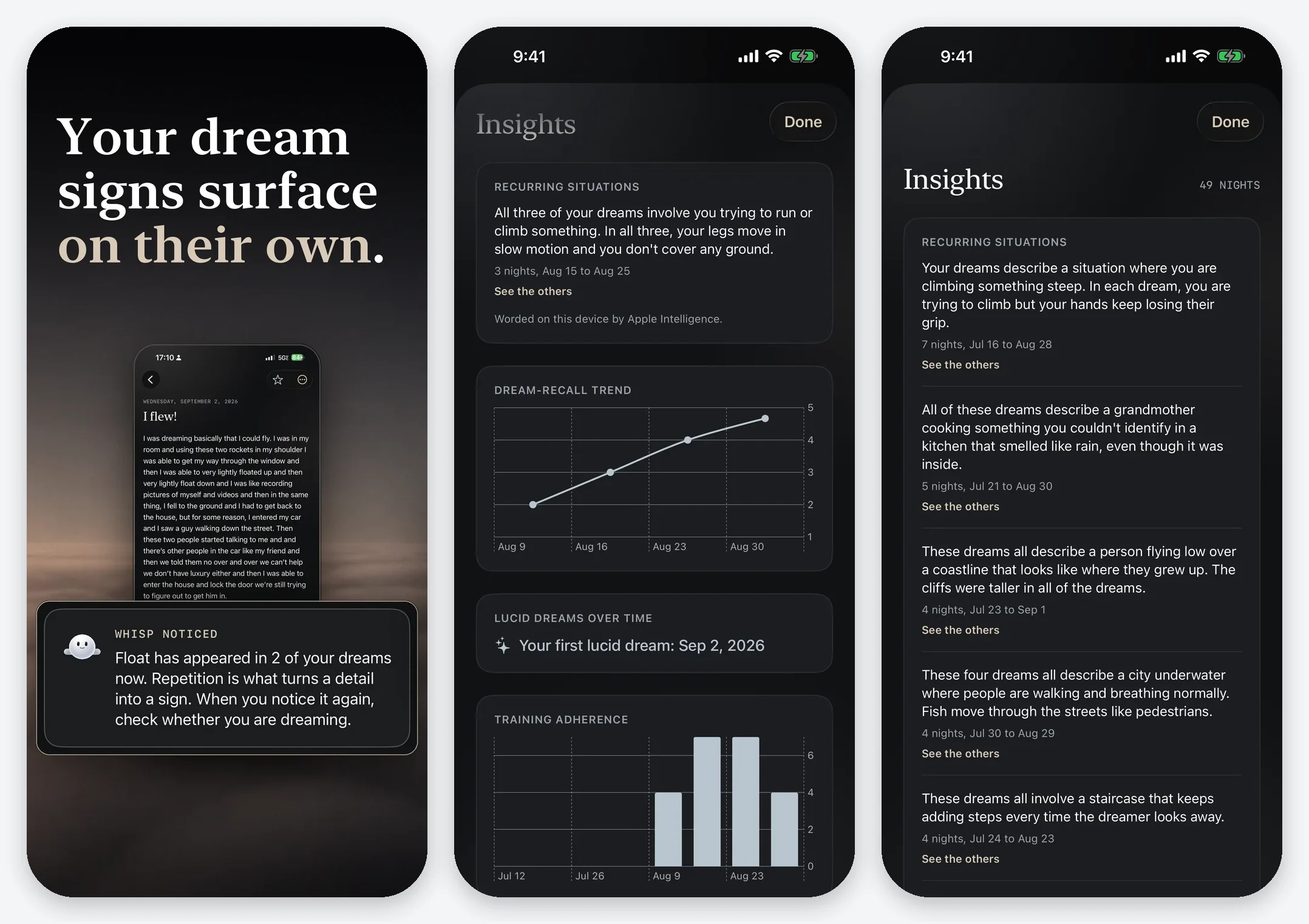
What shipped is deterministic pattern matching and structured signals first. Recurring situations are found with NaturalLanguage embeddings computed on the device, and Apple Intelligence only phrases the result on phones that support it. The generated note still exists in the code behind a flag, and that flag is off in the release build. Removing the most impressive technology in the app was the right call because it did not reliably make the app better.
The honest cost of keeping everything local showed up during screenshots. The recurring situations engine needs on-device language assets that the iOS Simulator does not have, so the Insights screens had to be captured on a real iPhone.
Privacy as Architecture
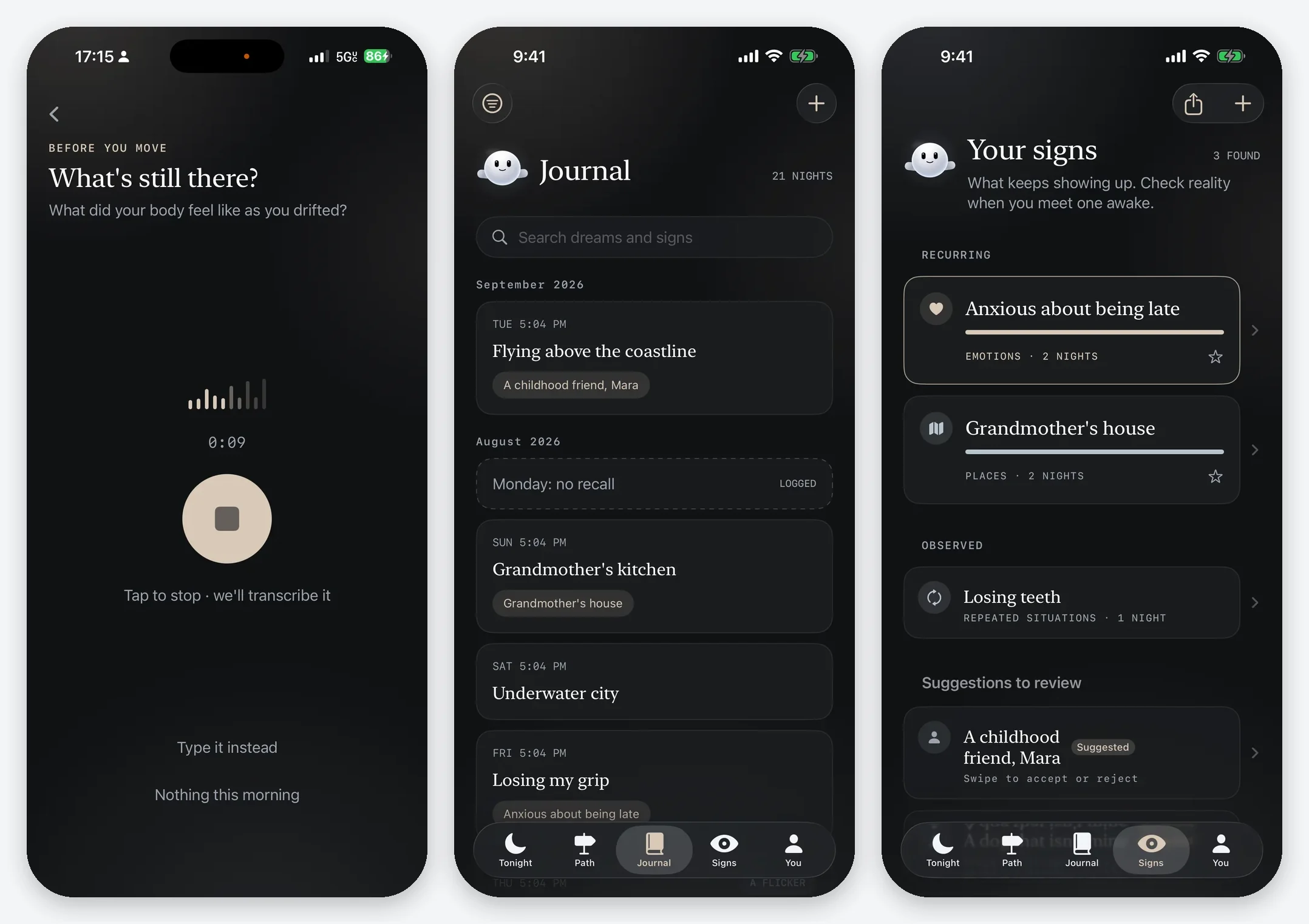
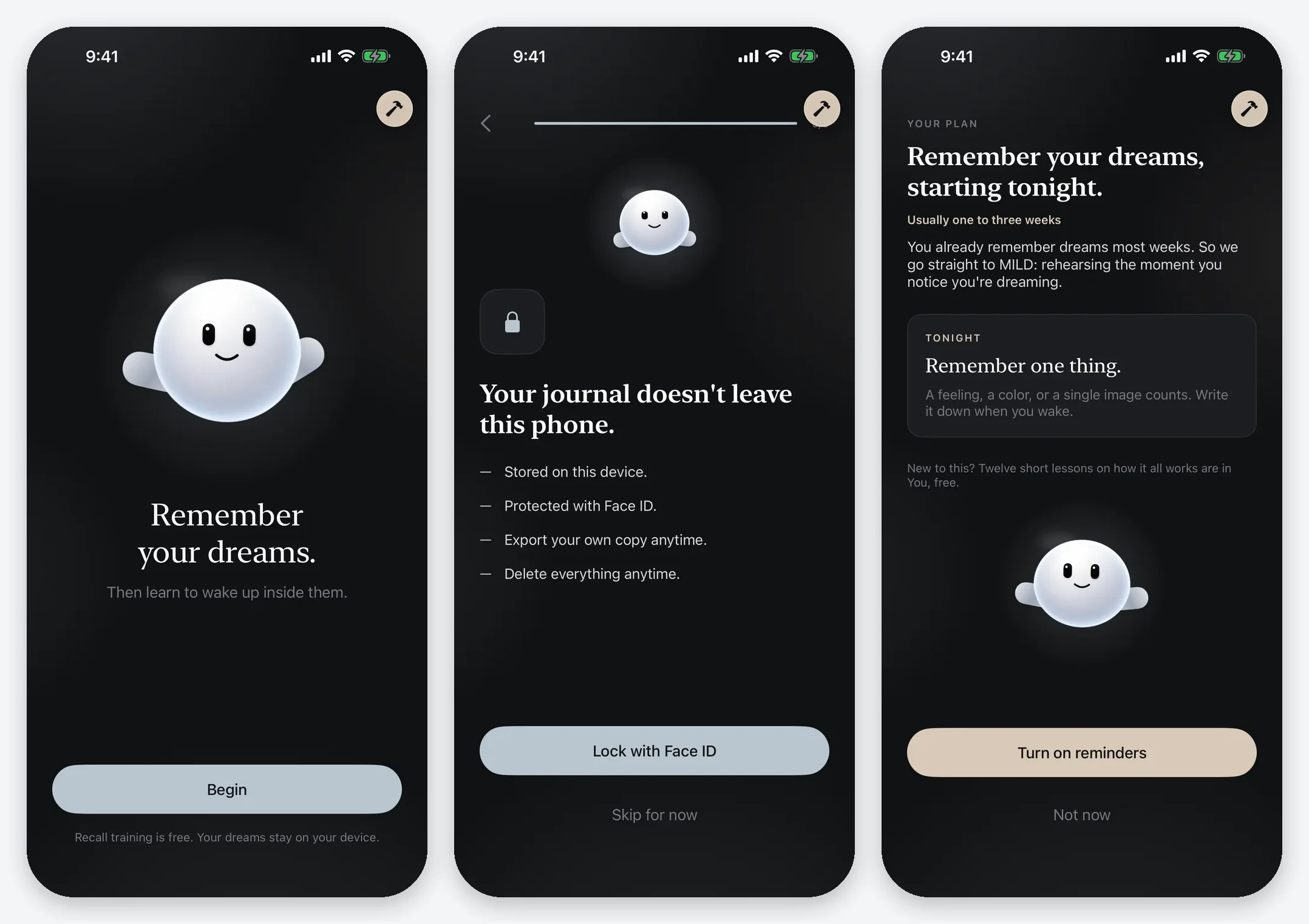
Privacy came directly from the event that started the project, so I built it into the structure of the app instead of adding it at the end. Journal entries are stored locally with SwiftData, speech is transcribed on the device, and patterns are computed on the device. People can lock the journal with Face ID, export their own copy, import it again, and delete everything for real.
Because there is no server, there is nothing to host, nothing to breach, and nothing to shut down. The app has no ad SDKs, no analytics SDKs, and no third-party packages, and its App Store privacy label reads Data Not Collected. The total recurring cost to run the product is the $99 Apple Developer fee. The most private architecture also turned out to be the cheapest one.
Testers Changed the Small Decisions
Testing showed me things my own use never could. On the onboarding subscription screen, one tester read the back chevron as ordinary back navigation instead of an exit. She concluded that the app required payment just to keep a journal. I had understood that screen perfectly because I built it.
"Why do I have to pay for a dream journal when I can just spit it into ChatGPT and get an analysis?"
That misreading led to several changes. I named the paid layer Lucid Lock Pro, added a visible and labeled decline button, added a screen stating that the journal is unlimited and free forever, and removed every promise about how quickly anyone becomes lucid, because the app cannot honestly guarantee it. On August 27, I also grounded the pricing. The annual plan stayed at $49.99, the monthly plan dropped from $12.99 to $9.99, and I chose not to offer a free trial, since the free recall stage already lets people experience the product before they pay.
Six Screenshot Sets
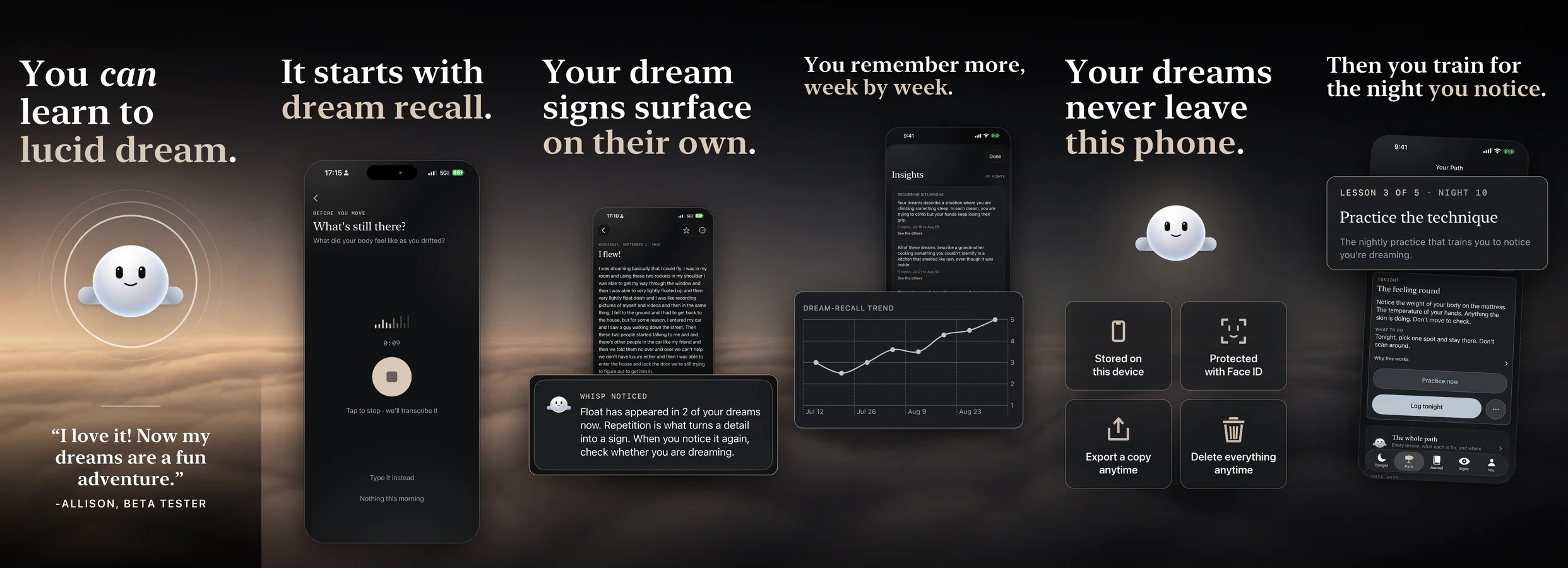
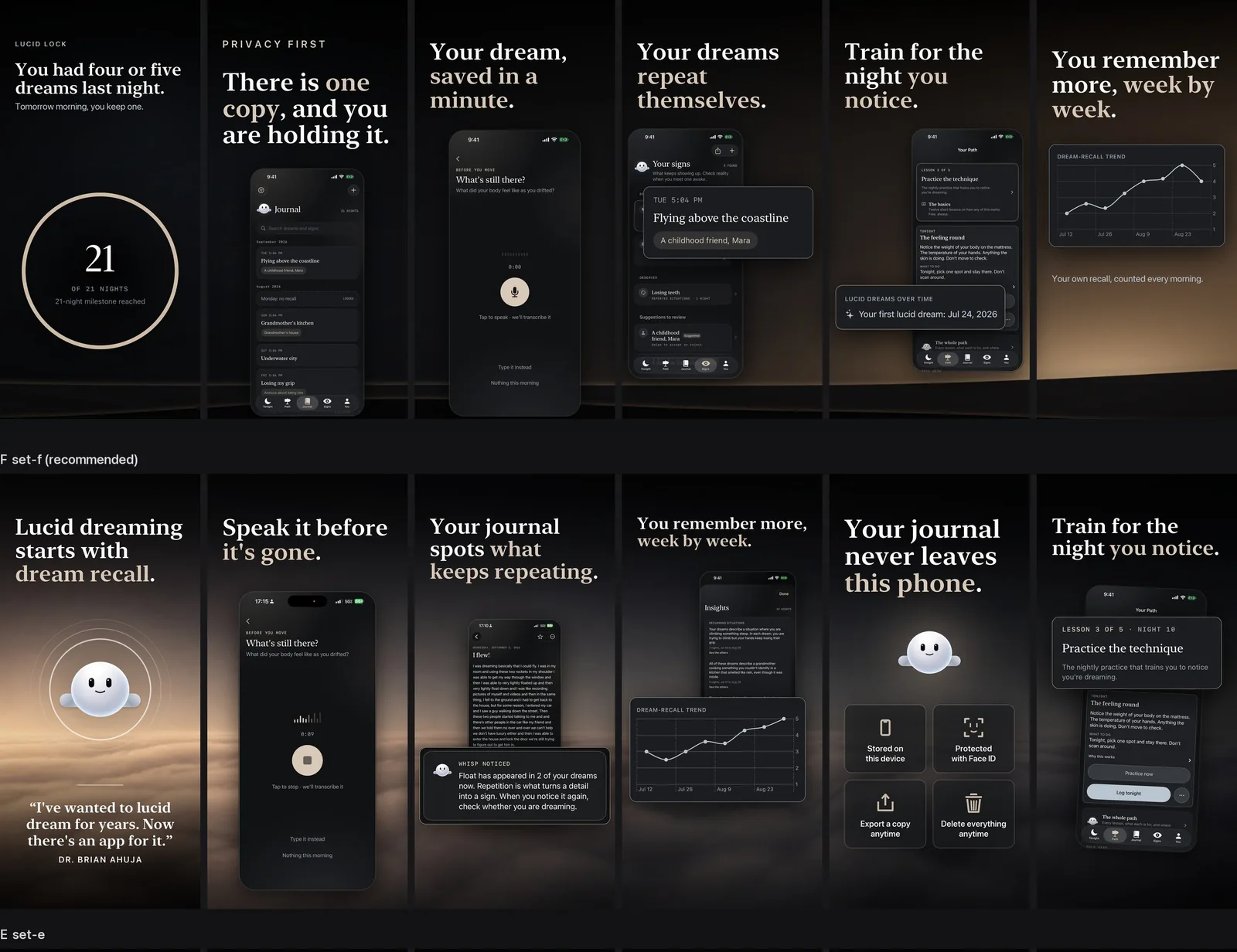
I gave the App Store listing the same treatment as the product. I designed six screenshot sets, labeled A through F, and each one had a written plan and a build script. Set A opened on a milestone ring that said nothing at thumbnail size. Set F opens on a real tester quote, used with her written permission, and it states the privacy claim in a form a competitor cannot easily copy. The six frames read in order like a short course on how the app works. The fourth frame is composited from two captures on a physical device because the pattern engine will not run in the Simulator.
Shipping and Distribution
The administrative side nearly became its own project. I formed PixelNova LLC, converted my developer account into an organization, got a D-U-N-S number, and set up banking, tax, a business address, a support inbox, subscriptions, and App Store Connect agreements. I was also using Lucid Lock as my own dream journal the whole time, which meant any destructive test could erase entries I actually cared about.
App Review rejected the first submission on September 11 because an app with auto-renewing subscriptions has to include a working Terms of Use link in its metadata. After I fixed that, Apple reviewed the build quickly and approved it. Lucid Lock went live on the App Store in mid-September 2026.
By late August the app was in good shape and almost nobody could find it. I ran experiments on Instagram, TikTok, X, and YouTube covering dream phenomena, relatable dream problems, and lucid dreaming education. A new Instagram account was permanently banned, and TikTok results swung wildly from one post to the next. At Atlanta Tech Week, people pulled me aside to talk about lucid dreaming, and some of those conversations turned into early testers. My existing YouTube audience, which I built on Mario and game development, did not transfer to a dream app. Building a product and distributing one turned out to be almost separate skills.



What I Learned
The biggest lesson is that AI tools make building cheap and deciding expensive. My first build proved that an agent will happily produce a lot of software in the wrong direction. What fixed it was a methodology I now reuse: visual exploration first, then a specification, then an interactive prototype, then deliberate implementation, followed by automated tests, manual tests, and tests with real users. I only use models where they are dependable.
I also learned that leaving things out is part of the product. The generated dream analysis that did not ship, the free trial I rejected, the progress promises I removed, and the server I never built all shaped Lucid Lock as much as anything on the screen.
Finally, I learned that an audience does not transfer between subjects. I had already built an audience once on YouTube, and it did nothing for a dream journal. Distribution has to be built on purpose, the same way the product was, and that is the work I am doing now.
Download Lucid Lock on the App Store · Visit lucidlock.co · Read the Exponent Labs case study